Thumbnail Concepts, and the Packaging Hub memory
Three click-worthy concepts designed for mobile from a title or topic, then up to four rendered versions of the one you like, each checked for logos and real public figures, words, phone size and fit with the title. Tweak a render in plain words, flip back through the versions, export a 16:9 file, and check your video's opening frame. The Packaging Hub keeps the memory: scan my channel, the patterns, the learnings.
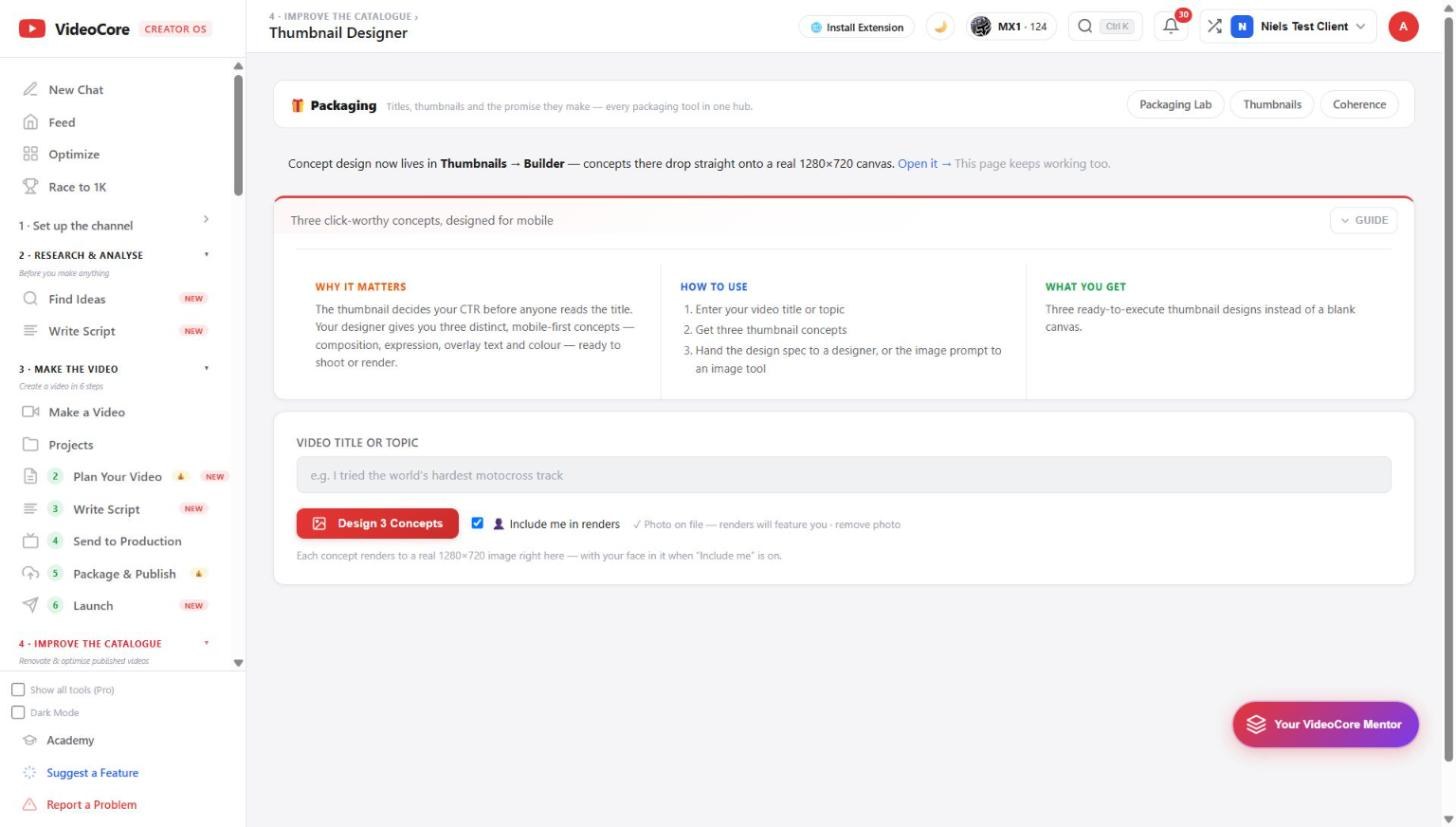
Three concepts
Type the title or topic, pick the project whose script it is (the Board’s Thumbnails step picks it for you) so every concept shows a moment that is really in the video, quoted from the script, and press Design 3 Concepts: composition, expression, overlay text and colour for each. If your channel has two or more standout uploads, a tick appears to match the look of your own best thumbnails (never another channel’s). The first time you switch on Include me, a short panel asks you to confirm the photo is of you; remove it from the same line and it is deleted at once. Rendering is part of the Pro plan. It is a step in the journey, between Review Cut and Package & Publish, and opening it from there brings the project with you. Your Channel Setup promise, pillars, audience and do-not-do list shape the concepts, and your do-not-do list is a rule they must keep. You can also open it on its own for a quick thumbnail.
Up to four versions, each checked
Under a concept choose how many versions, one to four, and press Render versions. They are made at the same time and each card says whether it was made or why it was not. Every picture is checked for logos and real public figures before you see it. Then each one gets a plain-facts check: the words on the picture, whether they still read at phone size, and whether it goes with your title, with one thing to do. There are no scores. Set on a video, Download 16:9, Shelf test and Edit in Builder sit under each version.
Tweak a render and flip back
Type what to change under a version, for example make the text yellow, and press Tweak. The render is edited rather than redrawn, the new version joins a strip under the picture, and you can click any earlier version to go back. The 16:9 file that Set on a video and Download 16:9 send is 3840 by 2160, cropped to 16:9 and enlarged from the generated picture, so it is bigger but not sharper, and it is kept under 2 megabytes.

Check your opening frame (optional)
Open Check my opening frame under a version and choose a screenshot of your video’s first frame, or the video file itself. It is compared with the thumbnail and you get a pass or a flag in plain words: the same scene, a dark or blank first frame, words that are on the thumbnail only. Your frame is looked at once and not kept. This is a tidy-up check: YouTube says it picks the hover preview itself, and there is no evidence a match gets more clicks.

The Packaging Hub memory
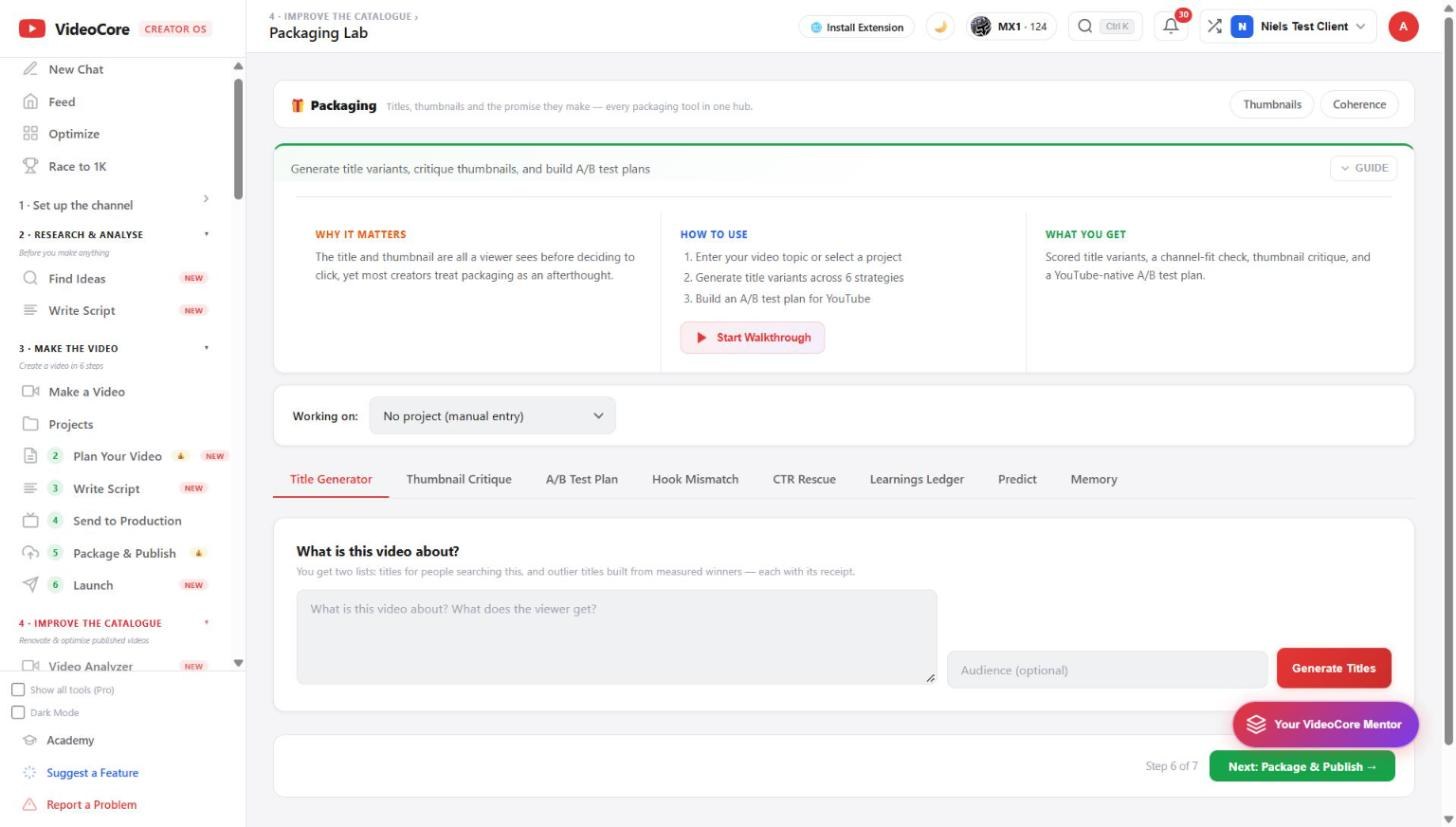
In the Packaging Lab: Learnings Ledger, Predict and Memory. Predict runs the title checks VideoCore can measure (pass, flag or not checked) and marks the AI’s reading as a suggestion; there is no score. Scan my channel reads what your own thumbnails and titles have done; the patterns and learnings accumulate so the next concept starts from what worked here, not from a template. At the top of the Packaging Lab, paste a video’s link to see its format and why its title and thumbnail pull, with three versions for your channel.

Why it works this way
Concepts are designed for the phone-sized tile most viewers see, every render is checked before you can put it on a video, and the memory is built from your own channel's measured thumbnails, so the advice narrows to this channel over time.