VideoCore how-to · 9 · Insights & tools
Smart Triggers: alerts that say what to do, with a confidence and a window
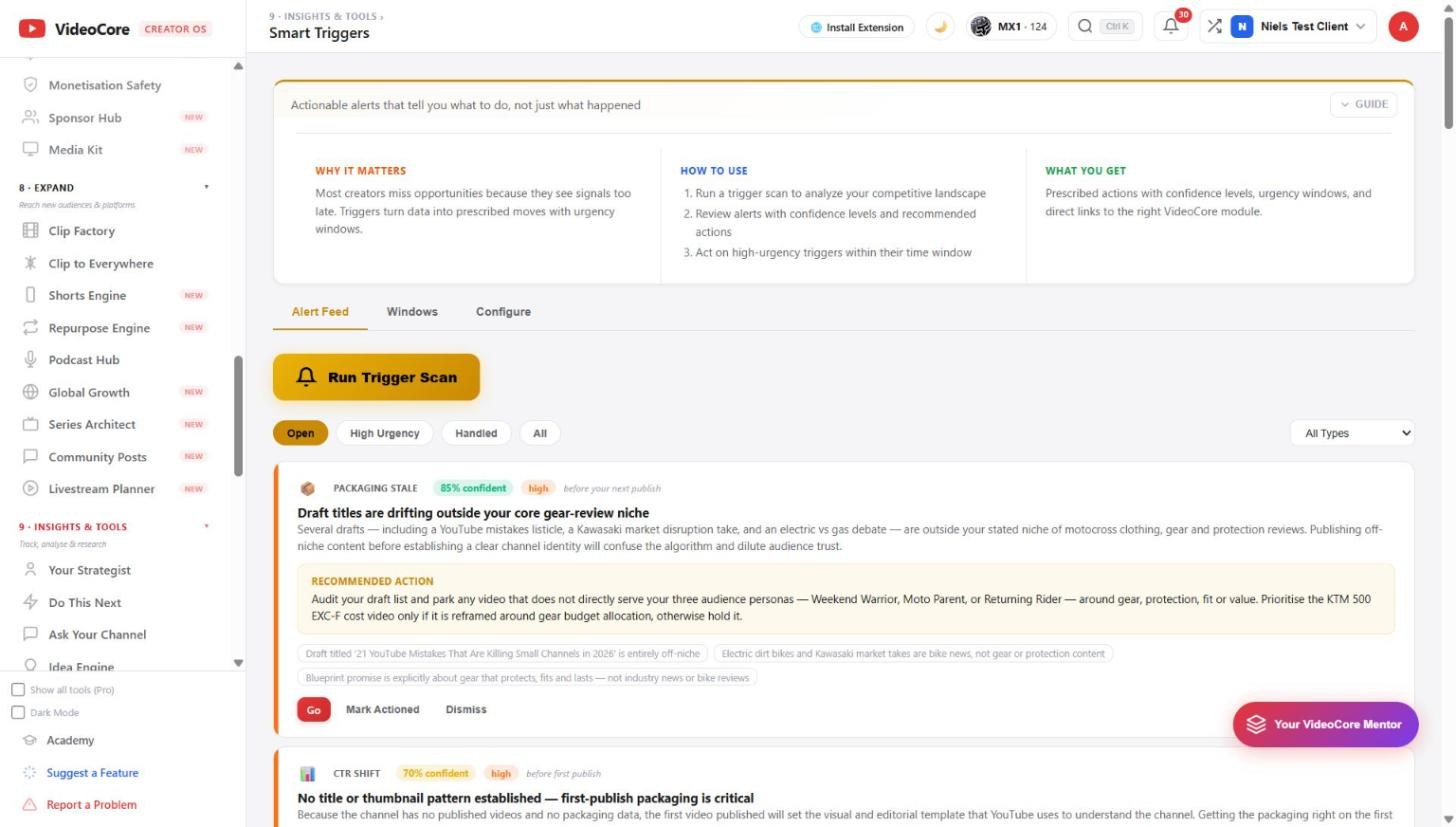
Run a trigger scan and the alert feed fills with prescribed moves: each with its type, a confidence level, an urgency window and a link to the module that does it. Windows shows the timing; Configure sets what fires.
1
The alert feed
Run Trigger Scan reads your competitive landscape and your drafts. Each alert: the type, here packaging stale, the confidence, 85 percent, the urgency, and the window, before your next publish, then the finding in plain words and the move. Filter open, high urgency, handled, all.
?
Why it works this way
An alert carries its confidence and its window because a signal without either is a worry rather than a decision; you can see how sure it is and how long you have.