The channel page: health, pillars and the biggest lever
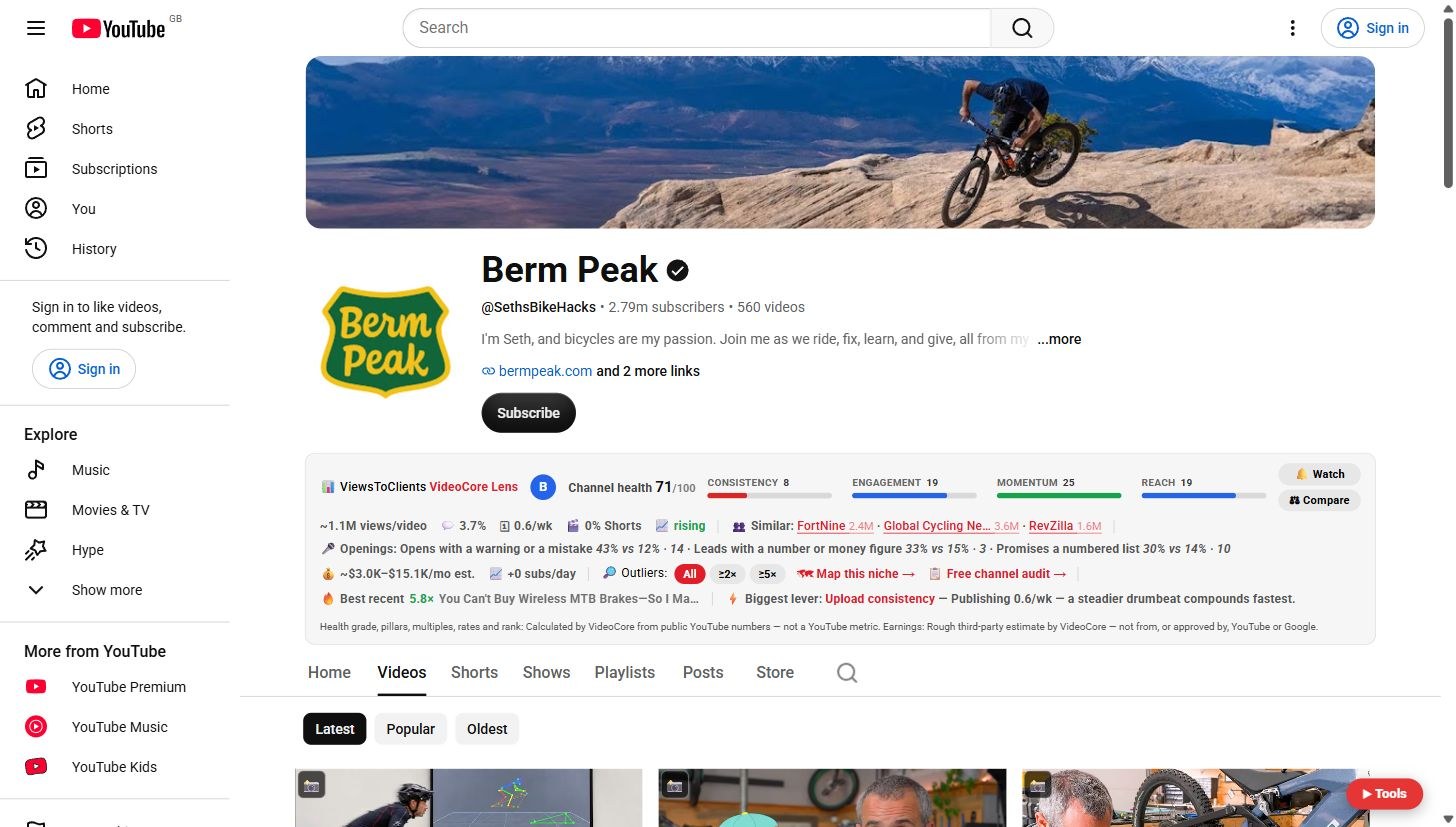
On any channel page Lens adds a bar above the tabs: the channel's health out of 100, its four pillars, typical views, the openings that win here, and the one lever to pull first.
Open any channel
The bar sits above the Home, Videos and Shorts tabs. Channel health 71 out of 100 here, with a letter grade.
Four pillars
Consistency, engagement, momentum and reach, each scored out of 25. Beside them: typical views per video, engagement, uploads a week, Shorts share, trend, and three similar channels.

Openings and earnings
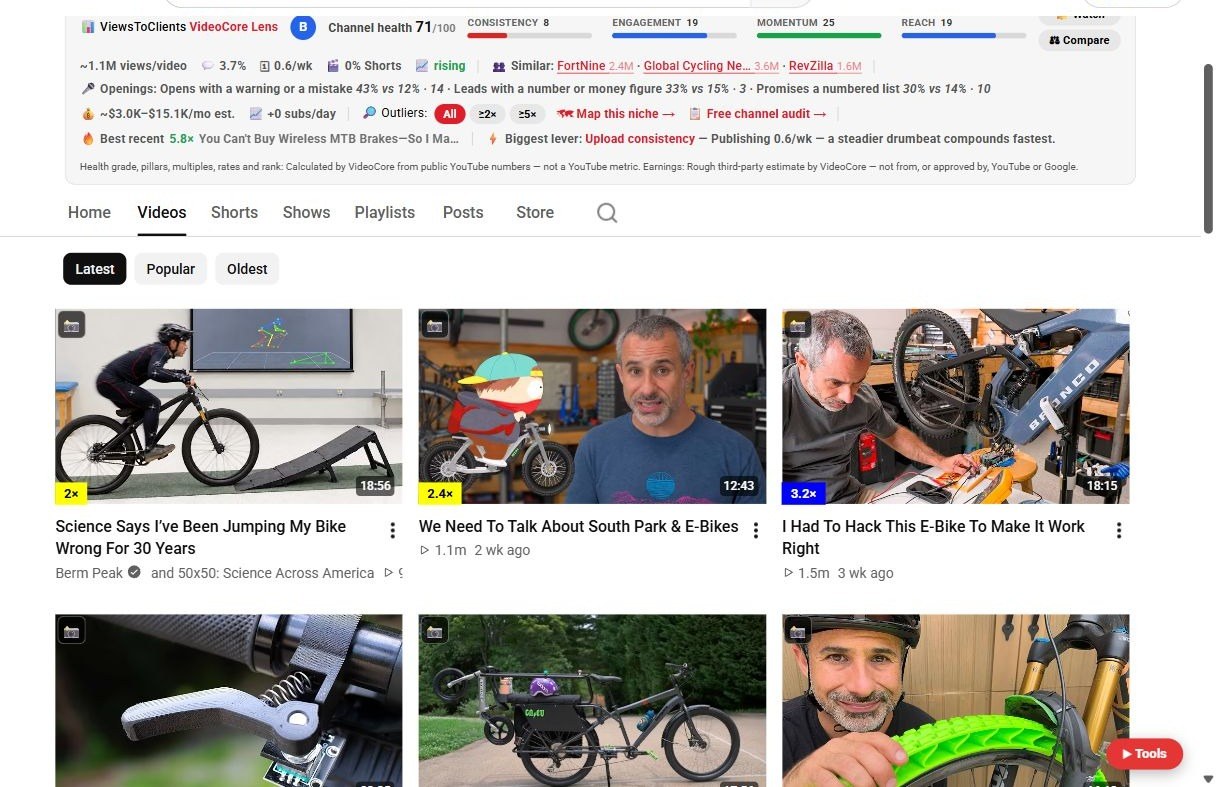
Openings that win on this channel: the share of 2x videos with that opening against the share overall. Then an earnings estimate, the outlier filter, Map this niche and the free channel audit.

The biggest lever
Below: every video's multiple, the best recent upload, and the biggest lever with its measured reason. Here it is upload consistency: publishing 0.6 a week.
Why it works this way
The health score is calculated by VideoCore from public numbers against the channel's own history, so a 2,000-subscriber channel is never graded as if it were a 2,000,000-subscriber one.