Search, channel grids and Shorts: what the badges mean
Lens puts its number wherever YouTube lists videos: search results, channel grids, the Shorts shelf and the Shorts player. Here is how to read each one.
Search results
A channel row gets its health score and typical views per video. Video rows get their multiple once the channel's baseline is known.
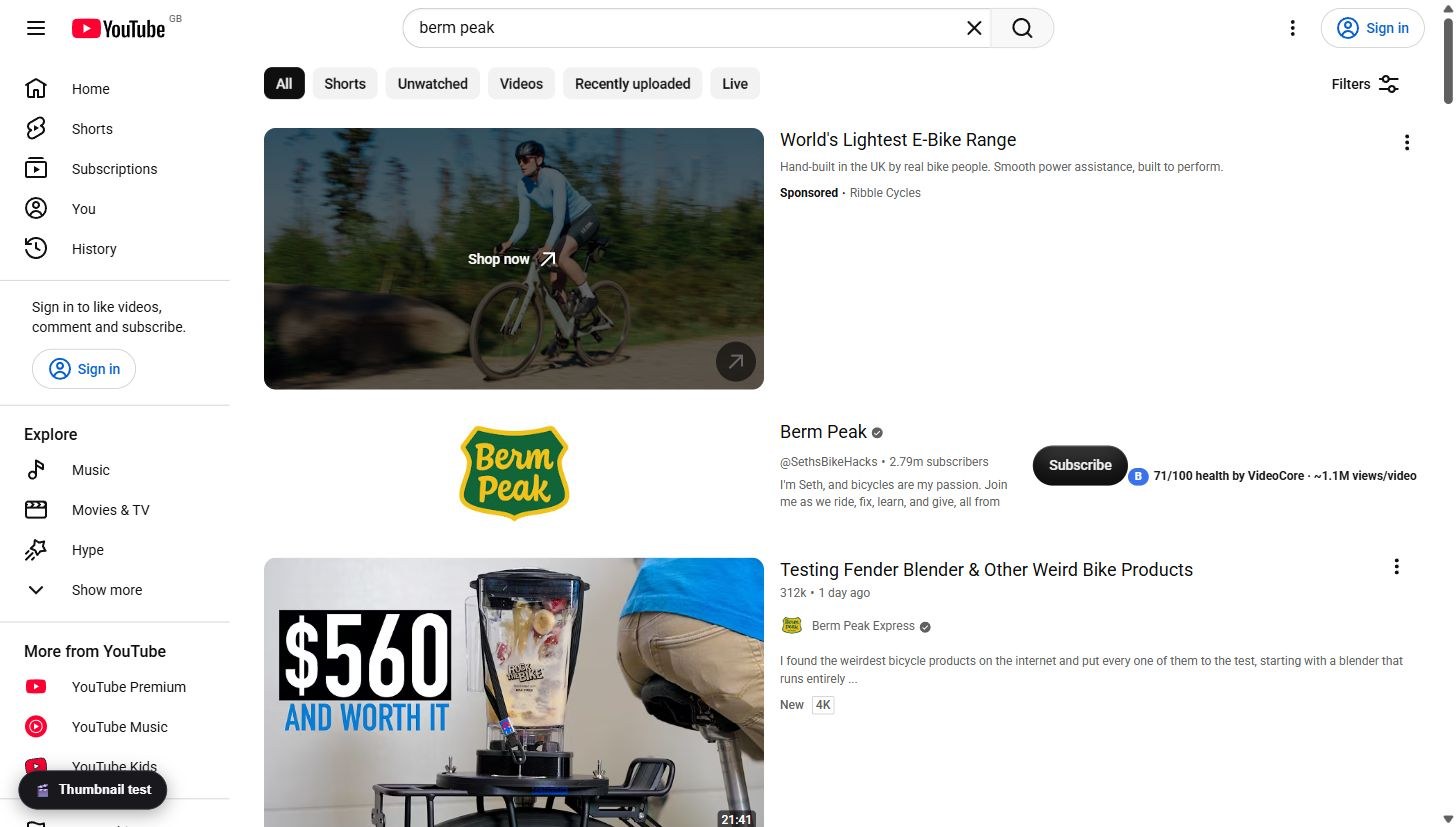
The Shorts shelf
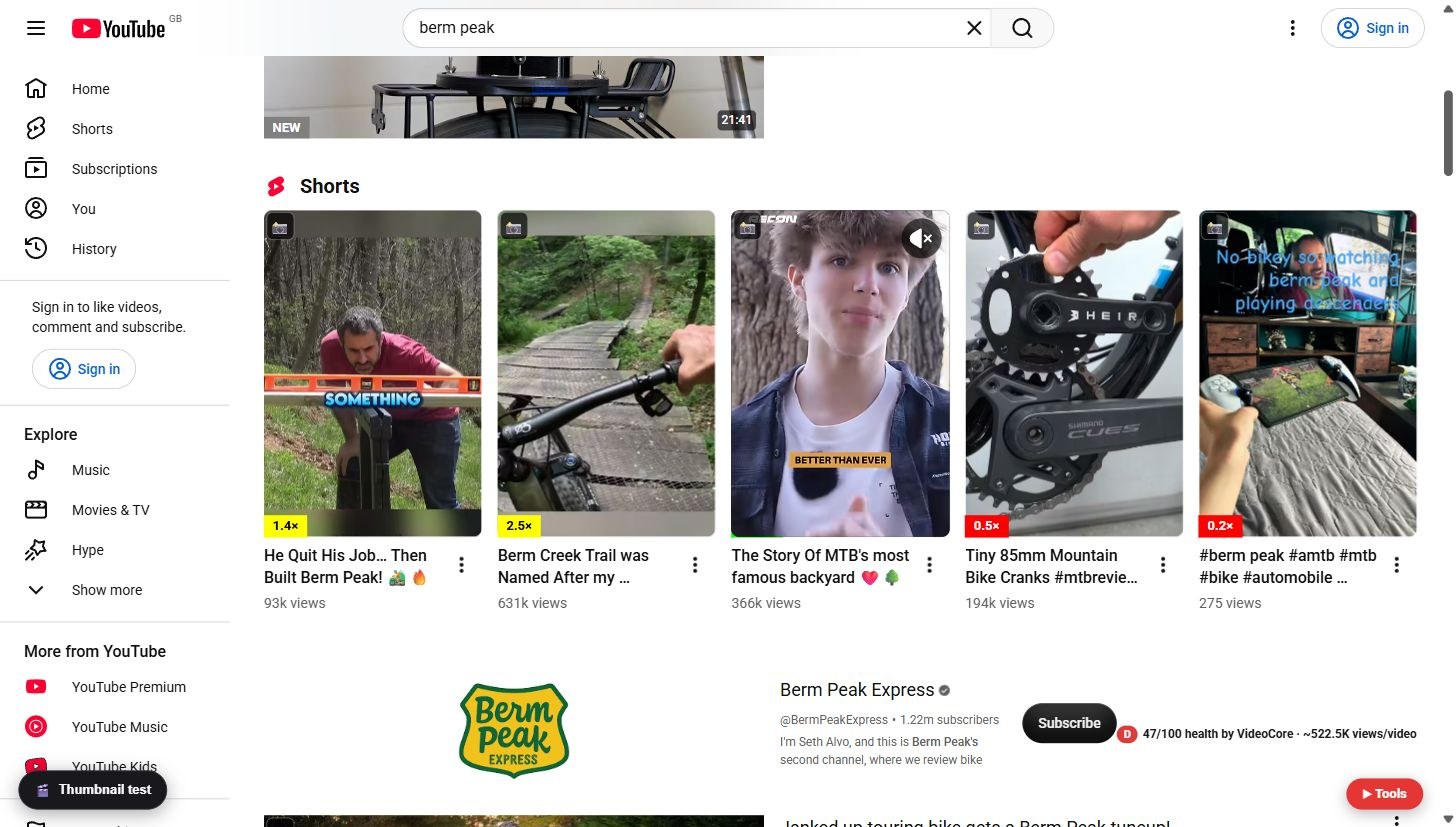
Shorts get multiples too, measured against the channel's Shorts, not its long videos. 2.5x beside 0.2x on one shelf tells you which idea the audience chose.
Channel grids
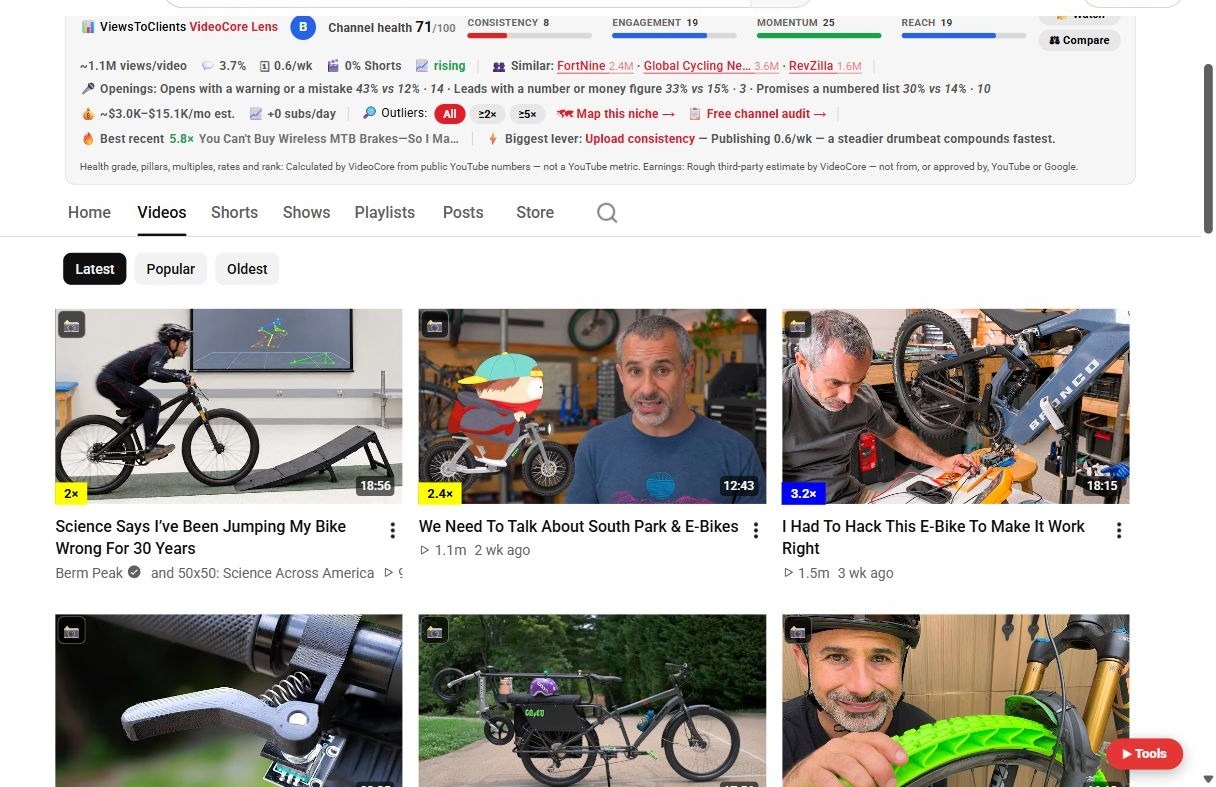
Every thumbnail gets its badge: 5x and up is a breakout, 2 to 4.9 a winner, 1 to 1.9 par, under 1 below the channel's norm. A video under two days old says New instead: too new to grade.
The Shorts player
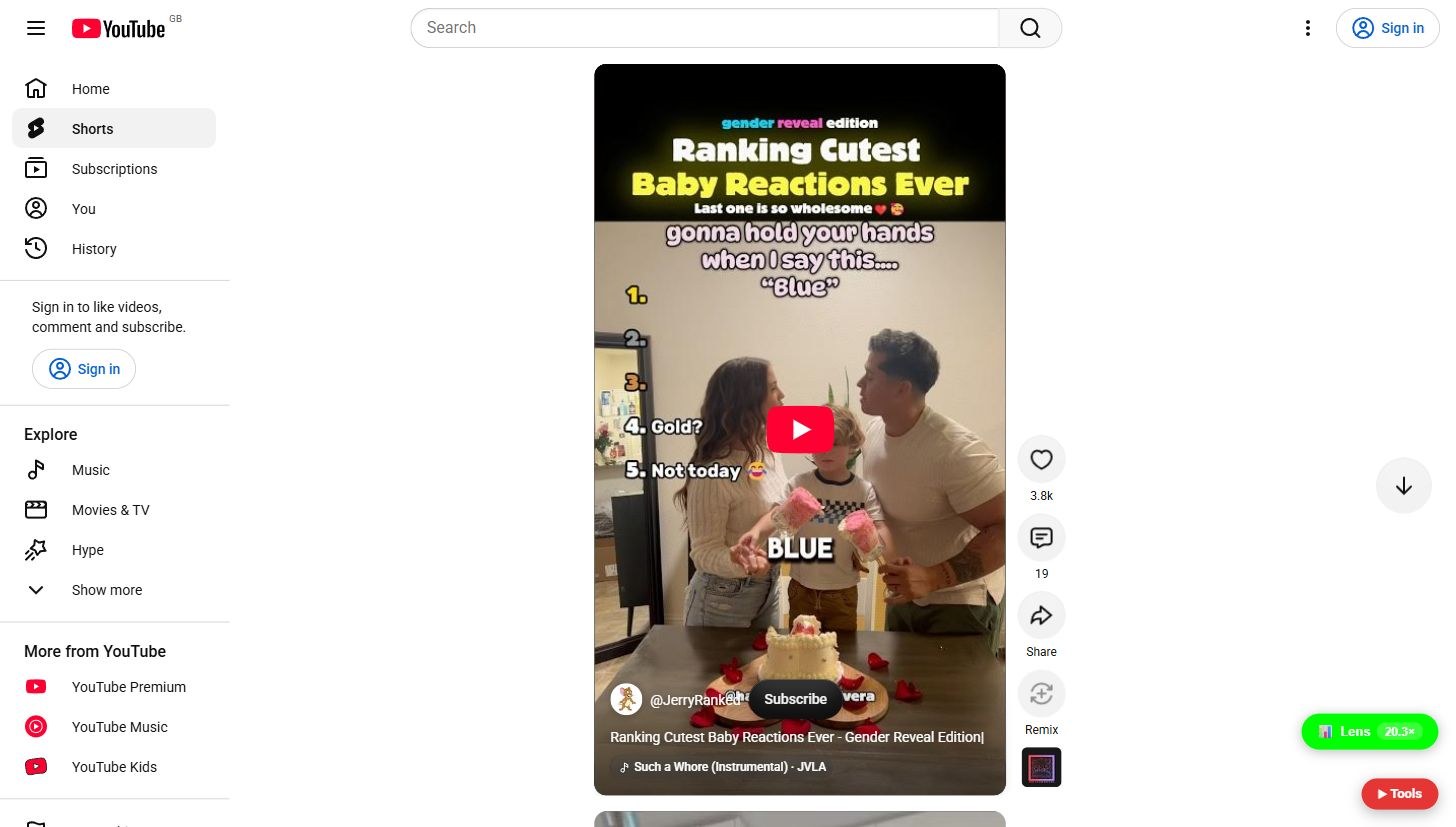
In the player, the Lens pill bottom right shows the multiple of the Short on screen. 20.3x here.
Why it works this way
A multiple compares a video with the median of that channel's ten nearest uploads of the same kind, so Shorts are judged against Shorts and new videos wait until their number is real.