Set up the channel: the six steps, in order
One page, six steps. Add the channel by URL or handle and most of the detail fills itself; the two things nothing can look up are your niche and your promise. The badge in the nav counts what is done.
Add the channel first
Paste the channel URL or @handle and click Look it up. Name, subscriber count, stage and description come from YouTube, so steps 2 and 5 open already knowing them. A name on its own is never accepted: the wrong channel here would poison everything built on it.
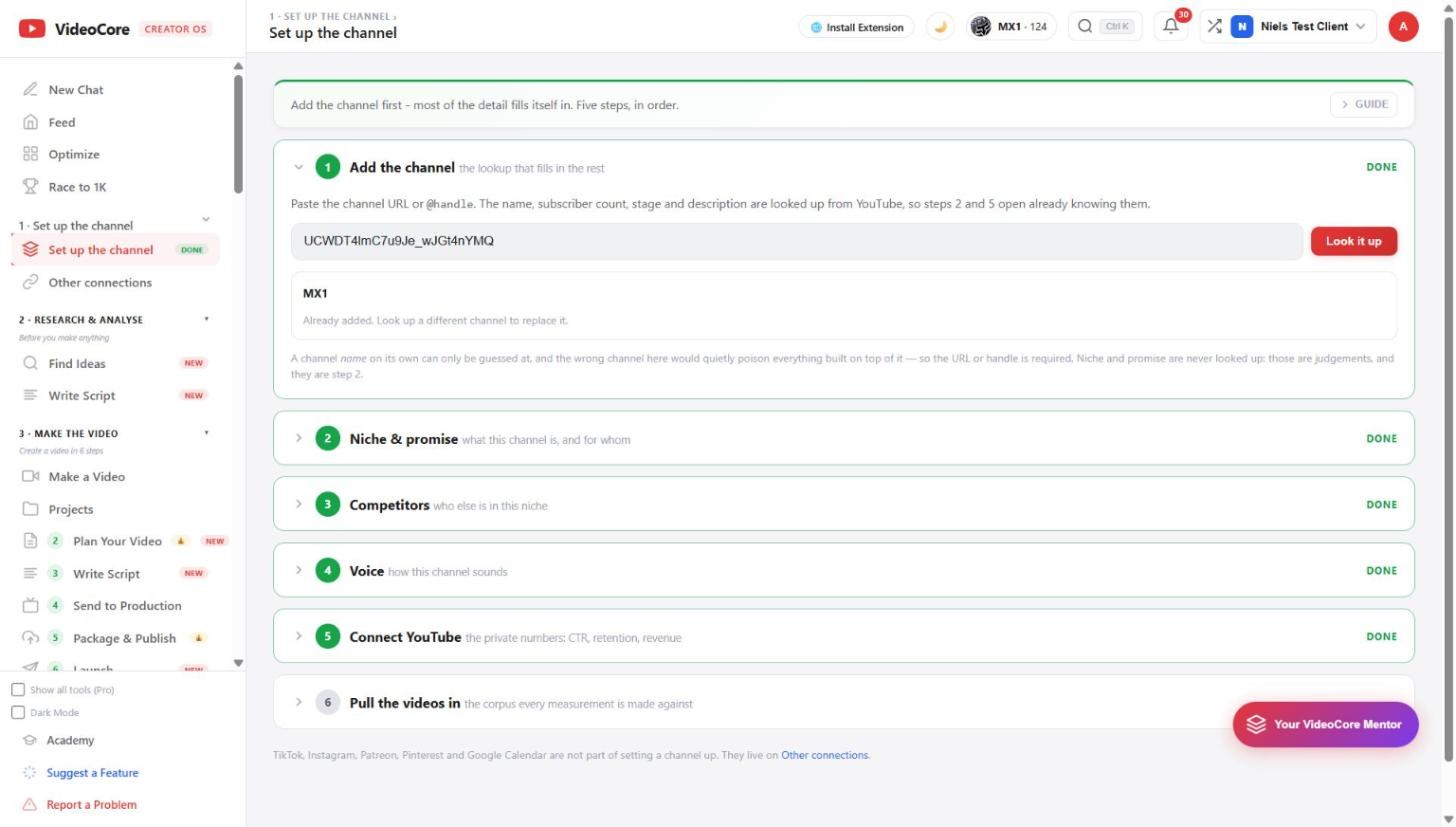
Six steps, each with its state
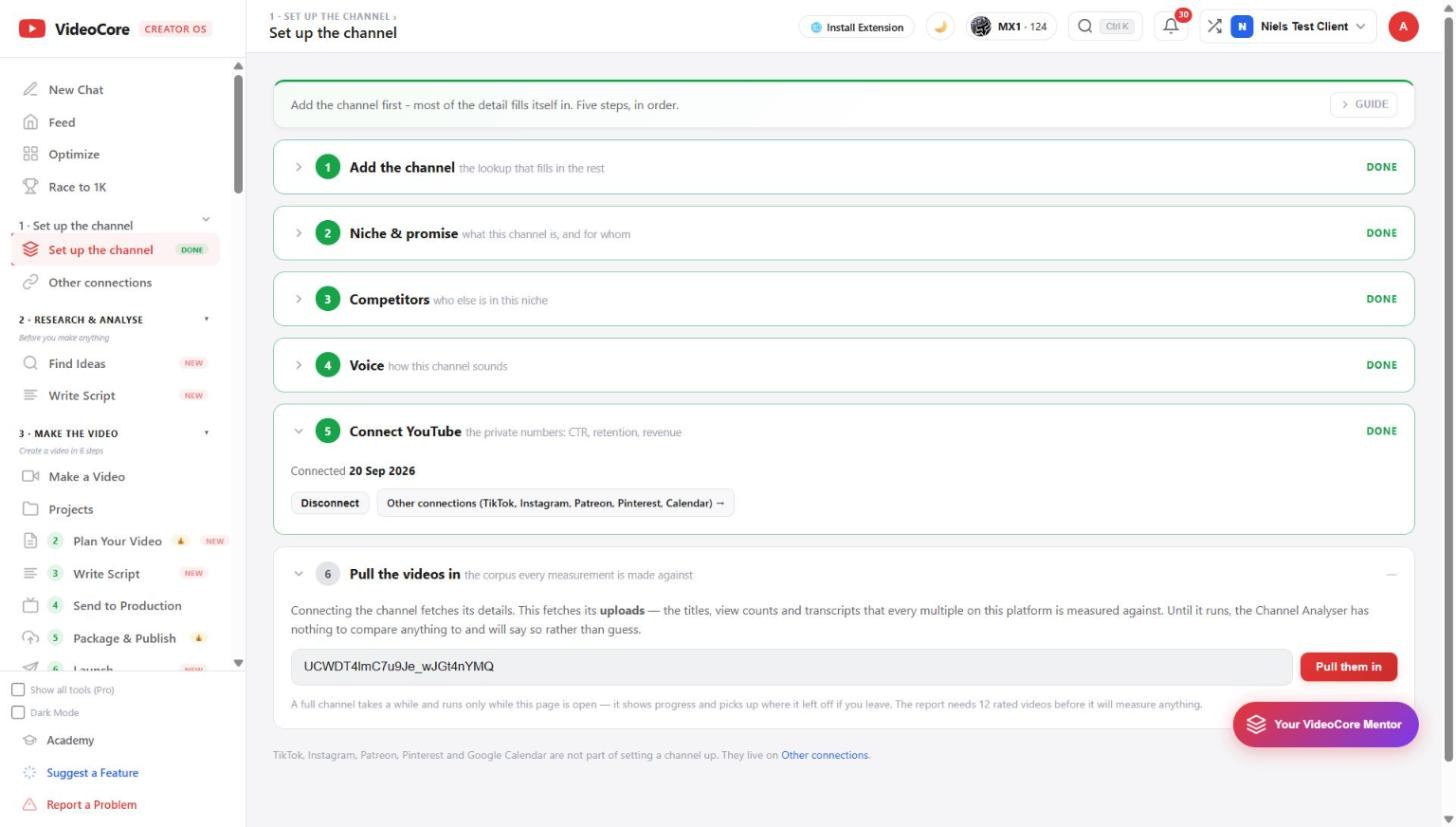
Niche and promise, competitors, voice, connect YouTube, pull the videos in. Each row says Done or To do; the nav badge counts them. Open any row to work on it; the page keeps what you had open.
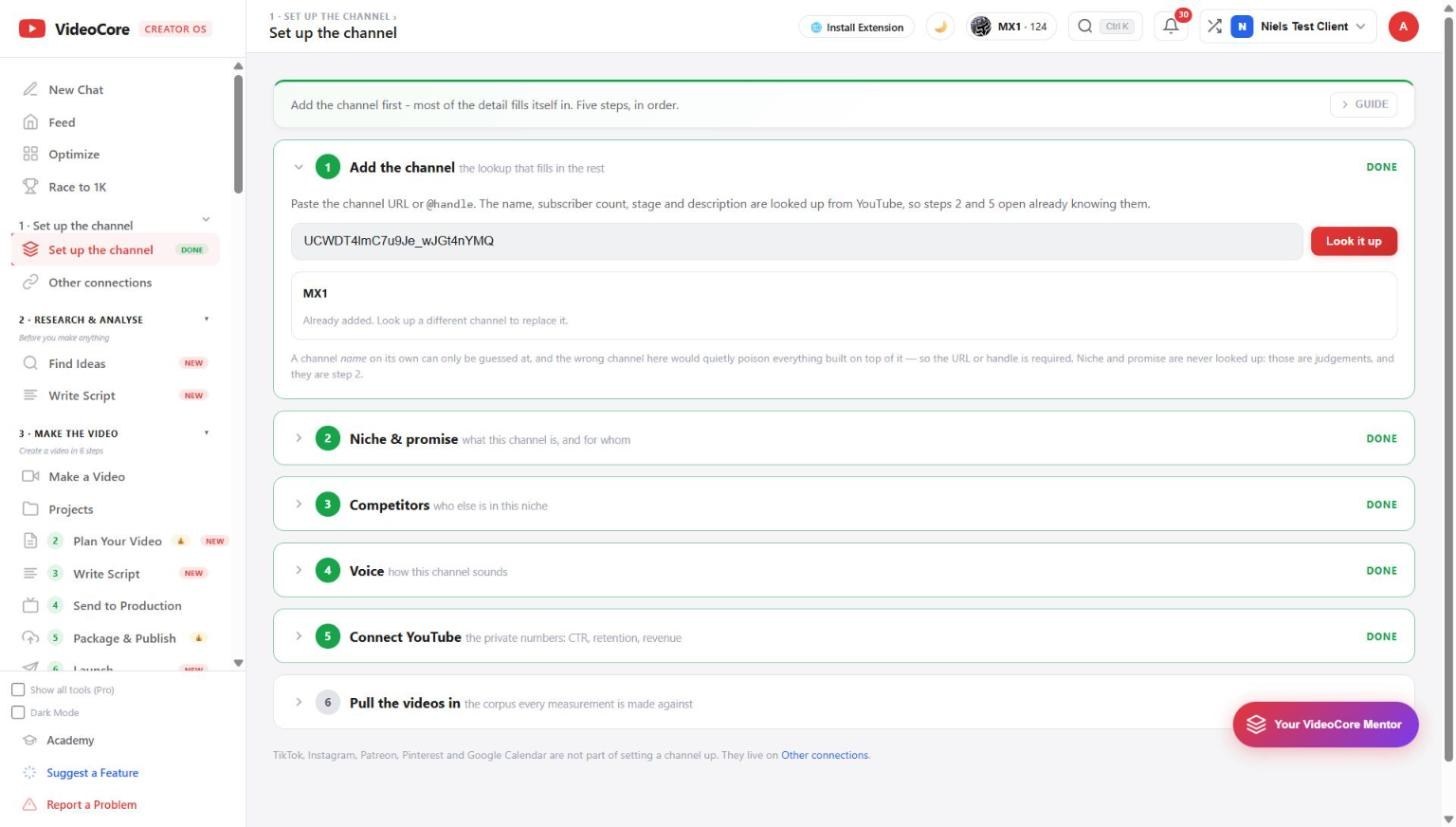
Connect, then pull the videos in
Step 5 is the YouTube connection: the private numbers, click-through rate, retention and revenue. Step 6 fetches your uploads, the titles, view counts and transcripts that every multiple on this platform is measured against. Until it runs, the analyser says so rather than guess.
Why it works this way
Everything downstream reads this page: research, competitors, packaging and scripts all start from who this channel is and who it is for, and the numbers are looked up from YouTube rather than typed, so nothing built on them starts from a typo.