Help inside the product
Four places to get unstuck without leaving the page: the Mentor, the how-tos it carries, the Academy, and two buttons that reach us directly.
Your VideoCore Mentor
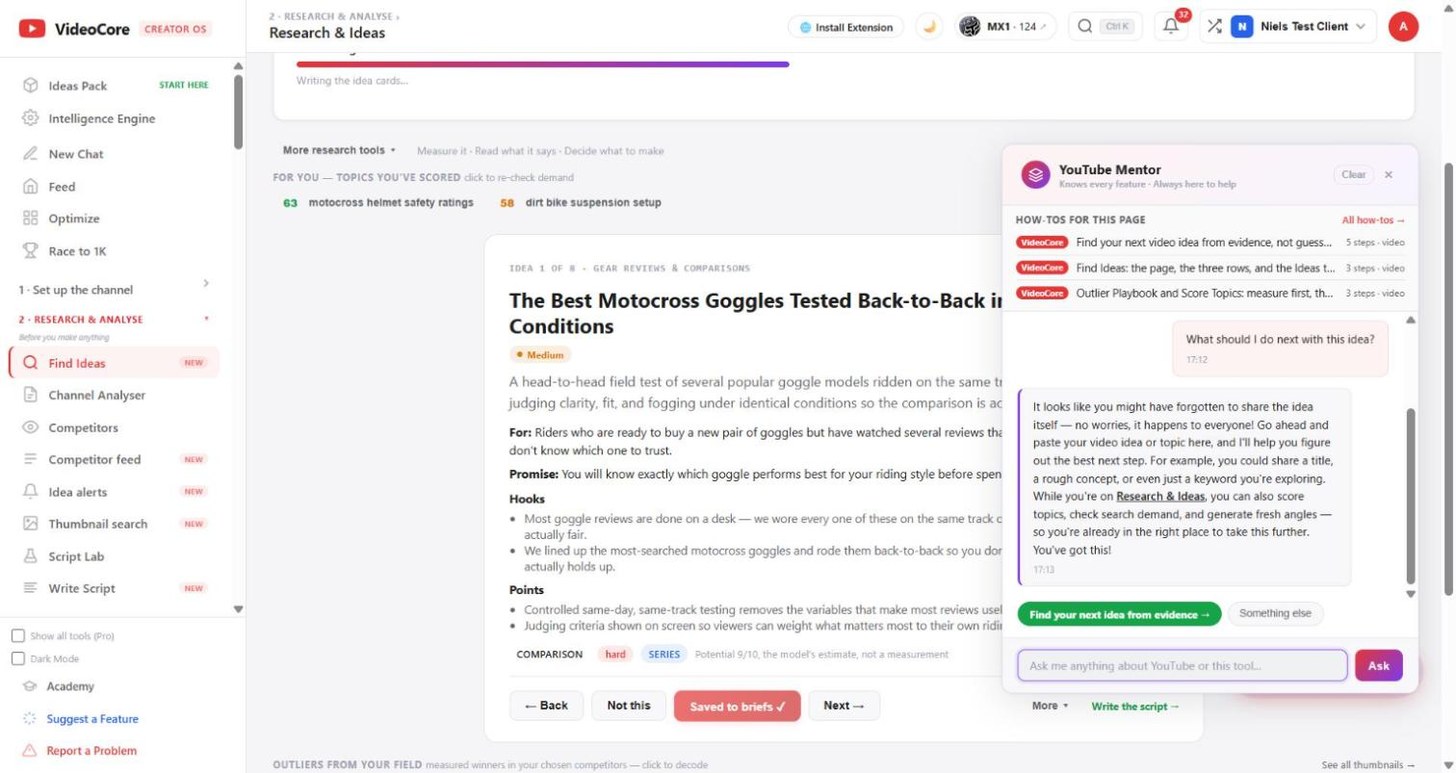
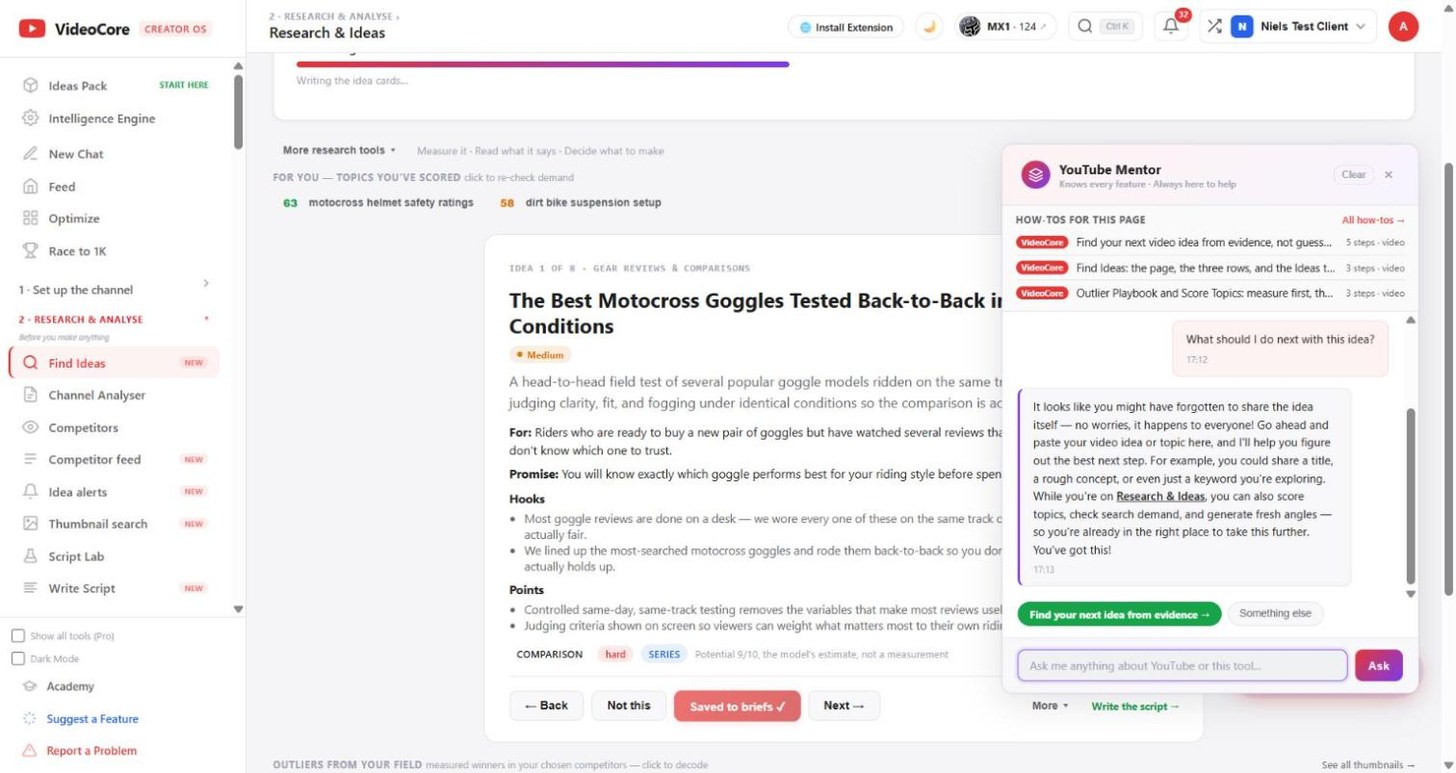
The purple button bottom right opens the Mentor. It knows every tool and answers in plain words, with links to the page you need, and every answer ends with one next step as a green button you can press.
How-tos for this page
Above the chat: the how-tos that cover the page you are on, each a short video and a page of real screens. All how-tos lists every one.
Academy
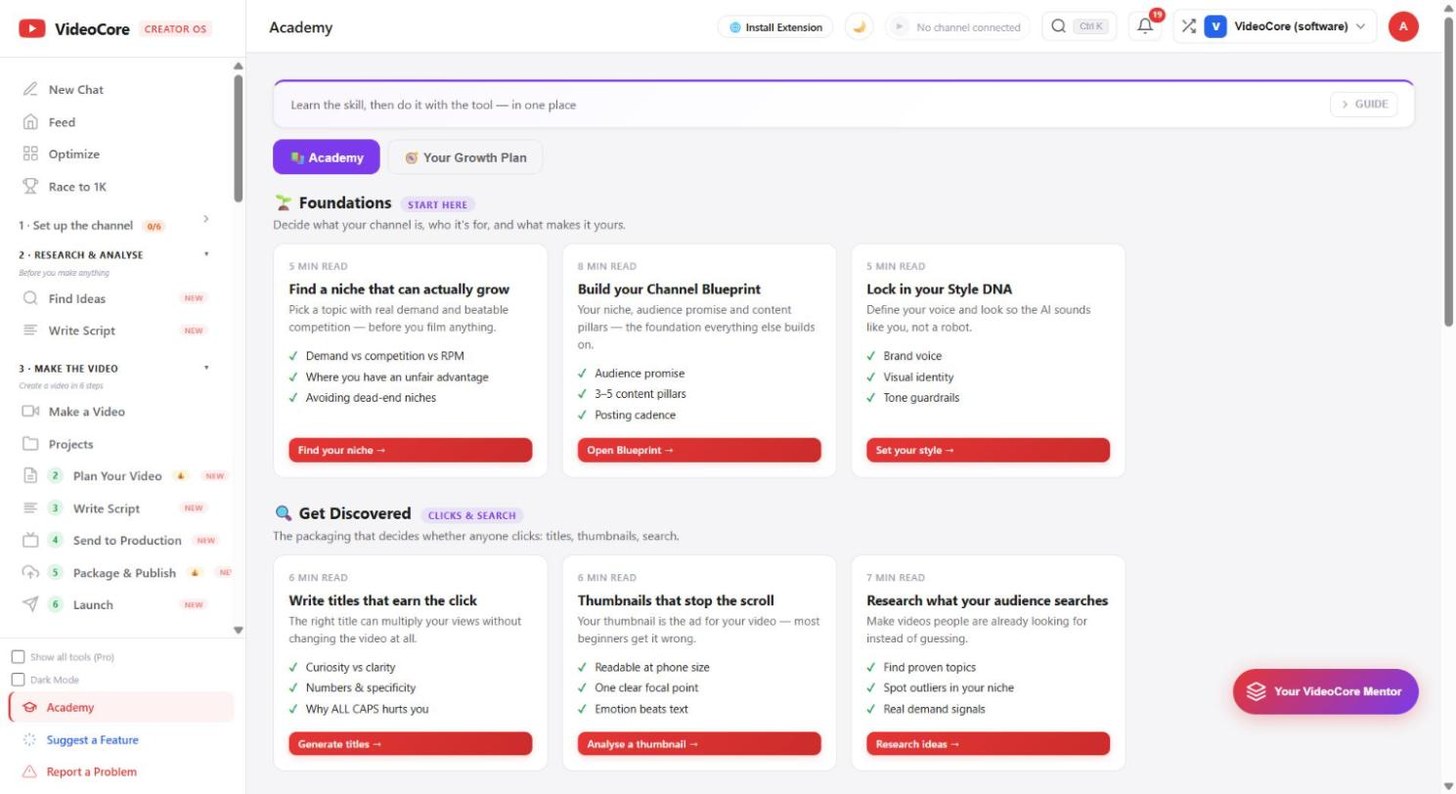
Short lessons grouped by stage, each ending in the tool that does it. Your Growth Plan is a checklist tuned to your channel.
Suggest a Feature
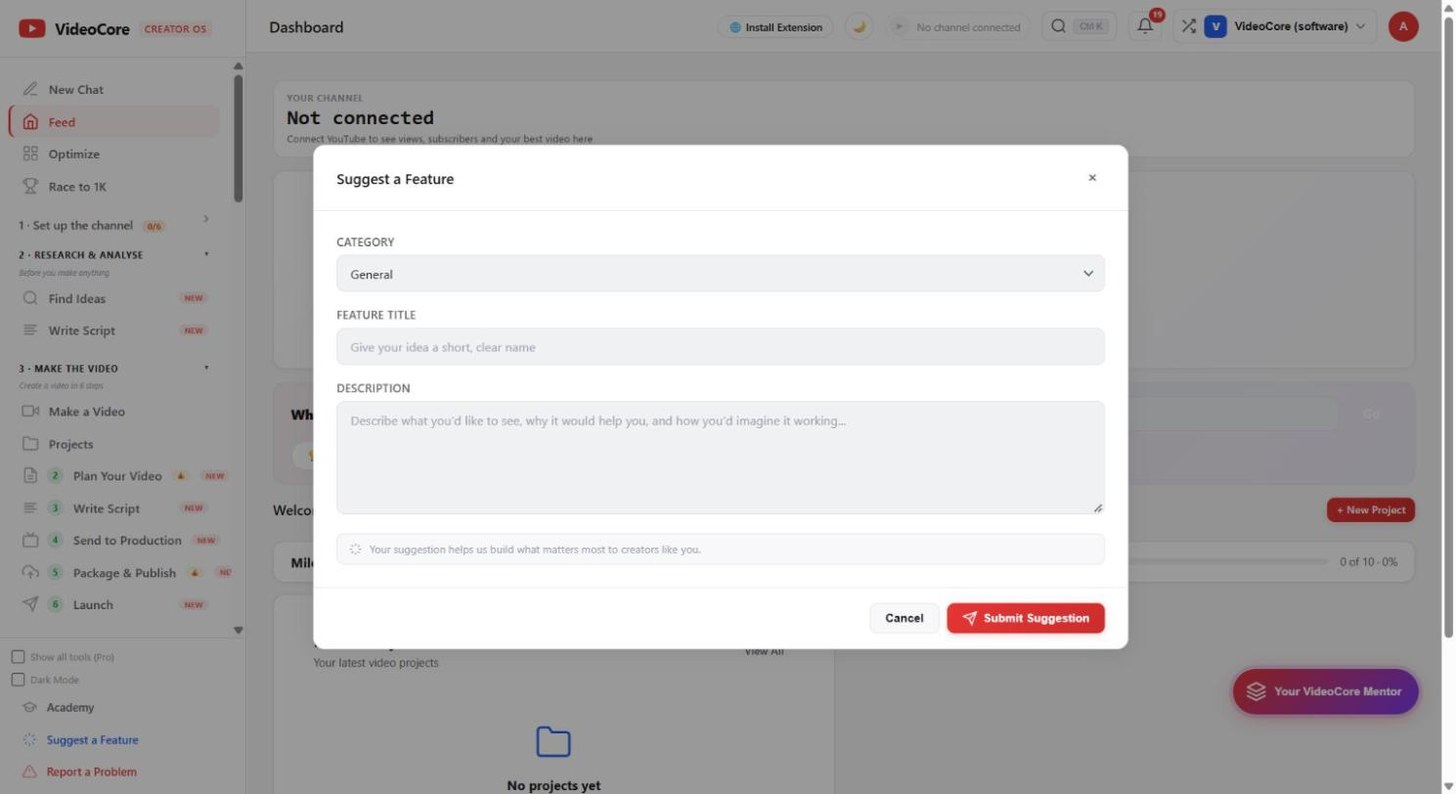
At the foot of the menu. Category, a short name, and what you would like to see. It reaches us directly.
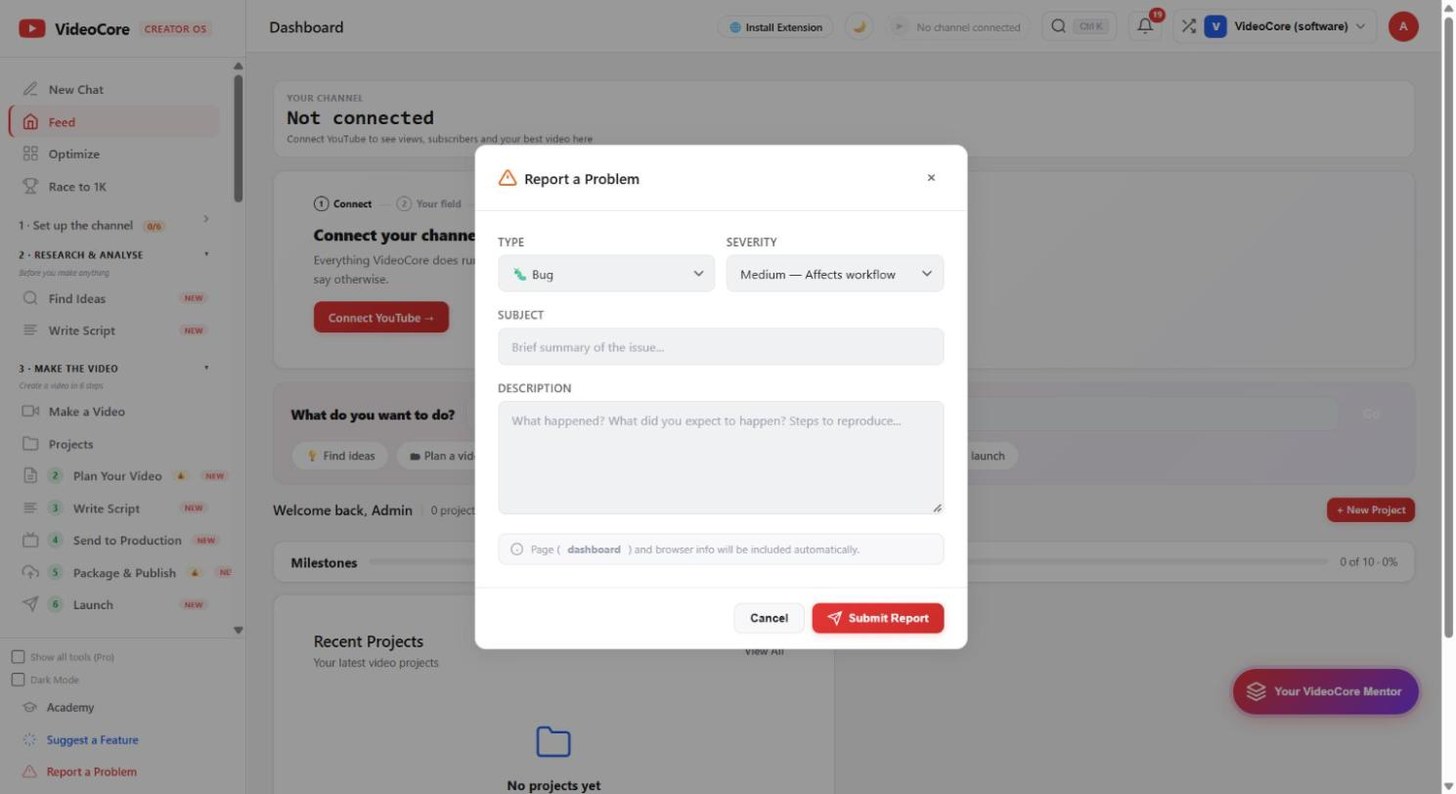
Report a Problem
Type, severity, a subject and what happened. The page name and browser details attach themselves.
Why it works this way
Every how-to is rebuilt when the page it covers changes, and the deploy is refused until it is, so what the Mentor shows you matches what is on screen.