Finding your way around
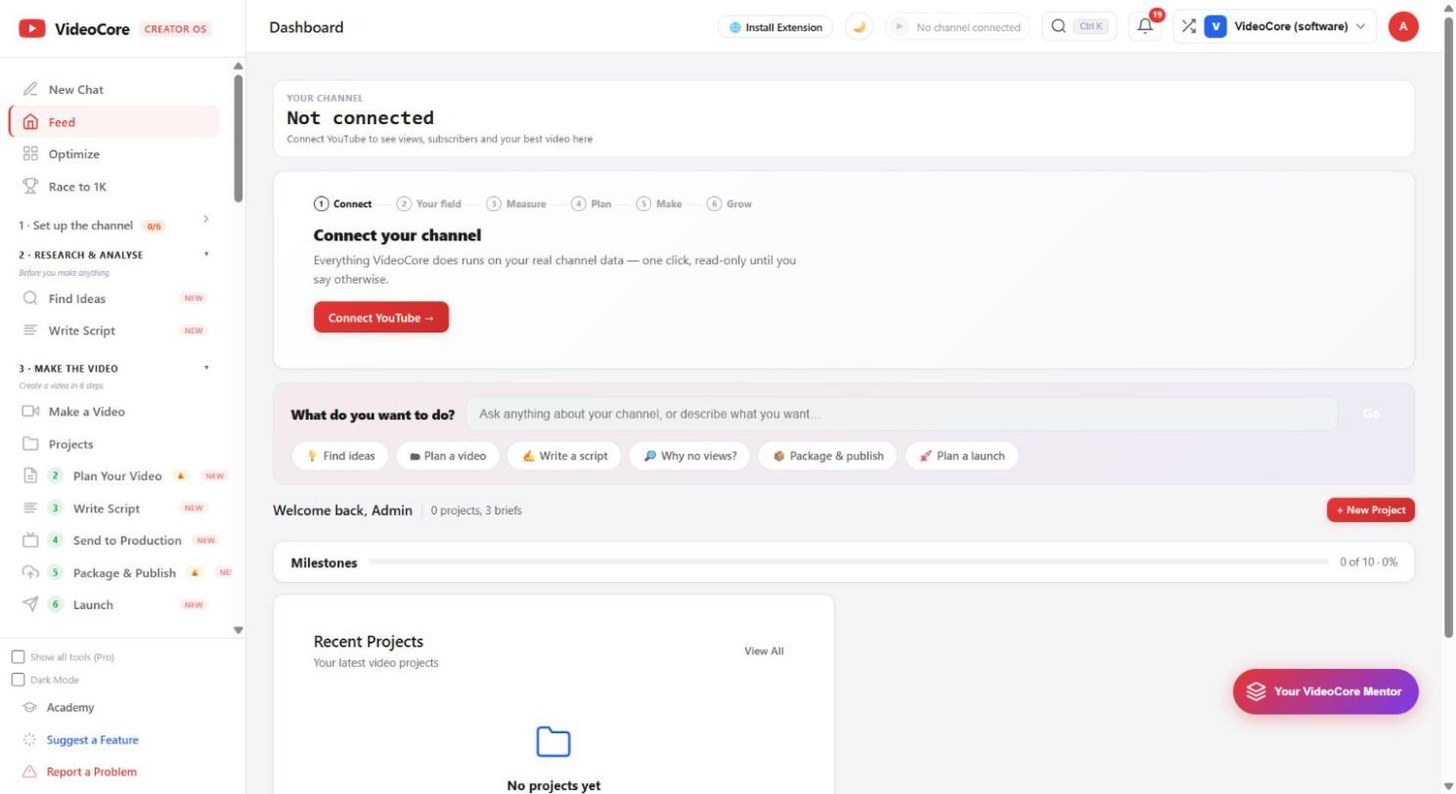
The left menu is numbered in the order you work. Ctrl K jumps anywhere. The top bar holds your channel, notifications, workspaces and your account.
The numbered menu
New Chat, Feed, Optimize and Race to 1K at the top. Then sections in working order: 1 Set up the channel, 2 Research and analyse, 3 Make the video, and on. Show all tools reveals the rest.
Ctrl K
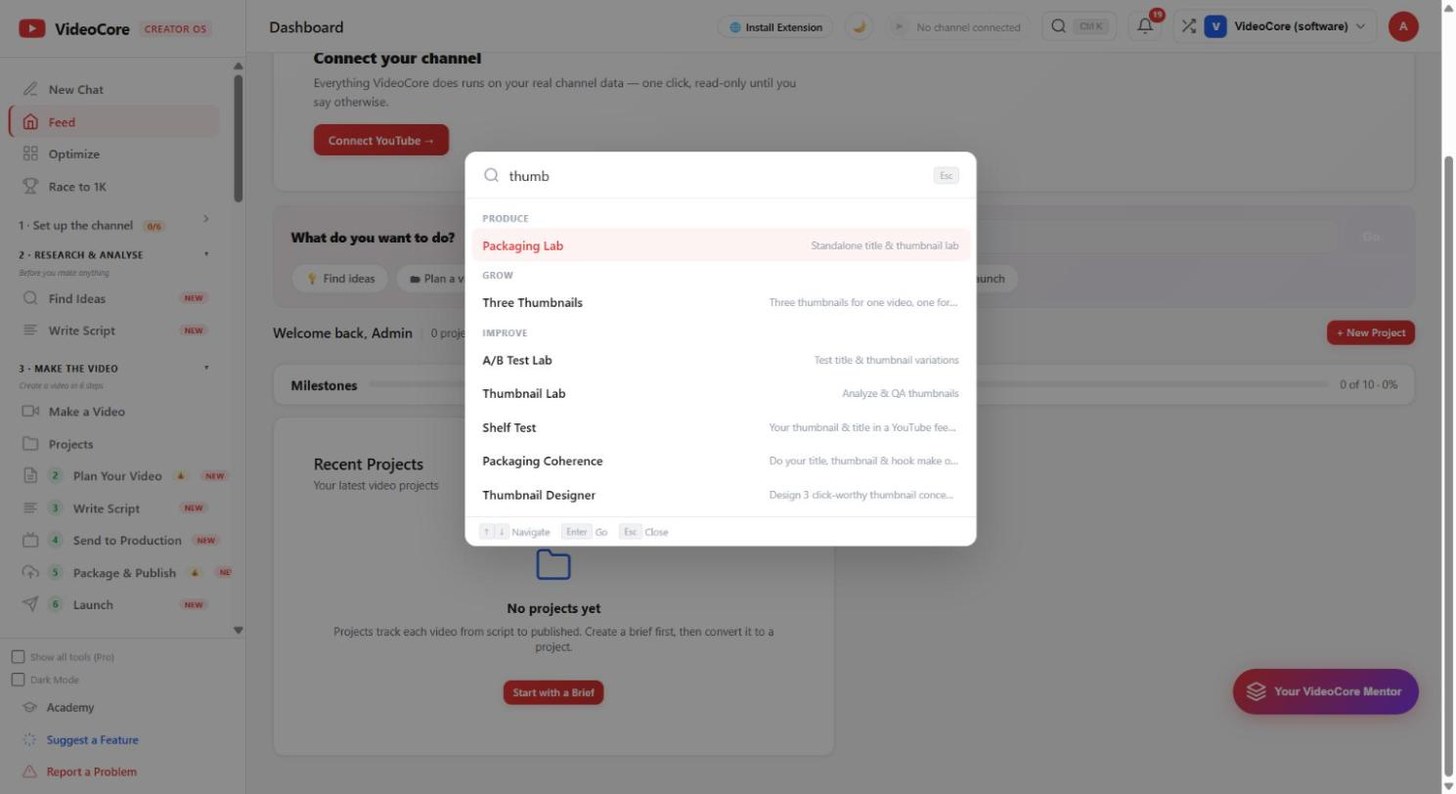
Press Ctrl K anywhere and type. Every tool is one keystroke away, grouped by Produce, Grow and Improve.
Notifications
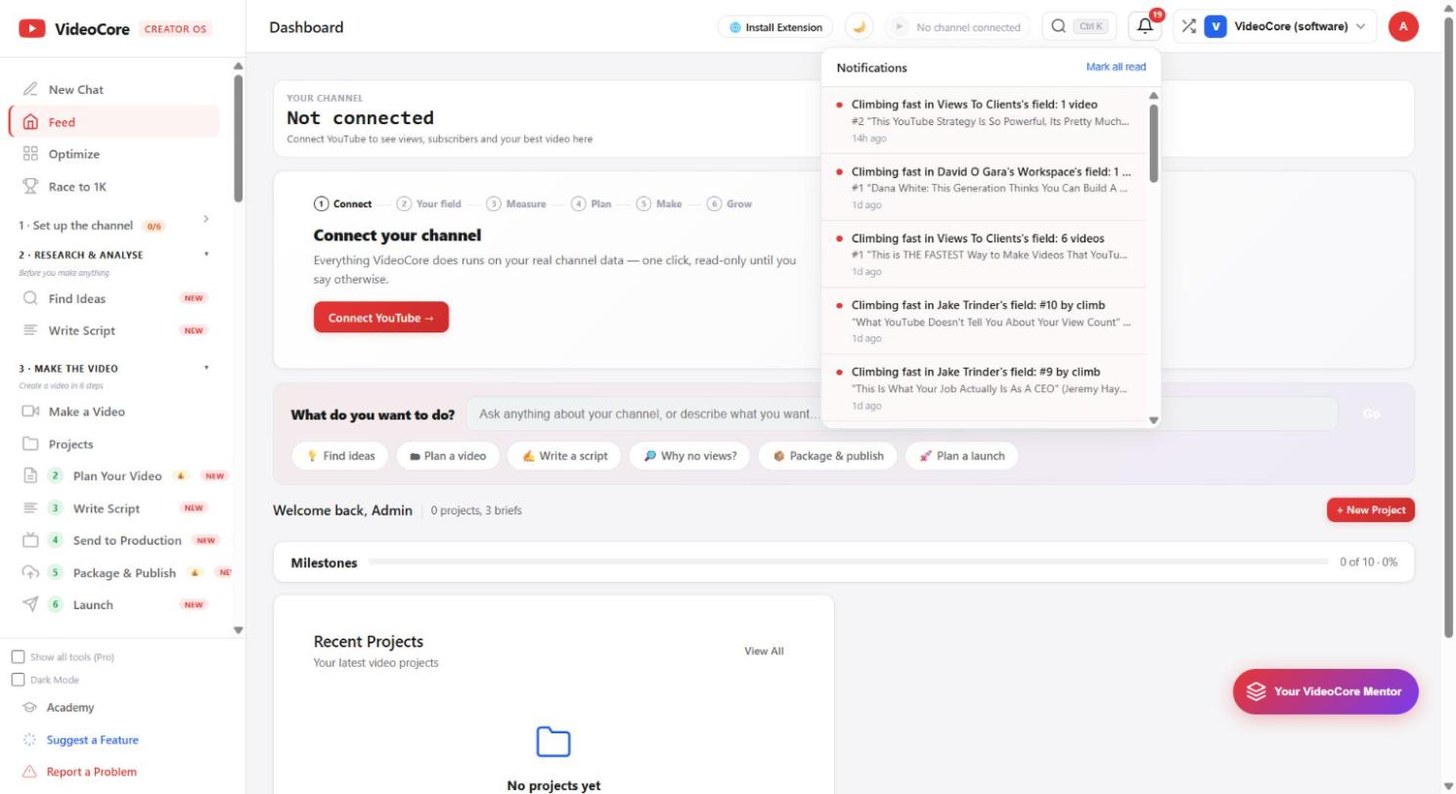
The bell collects alerts such as a video climbing fast in a field you watch. Mark all read clears them.
Workspaces and your account
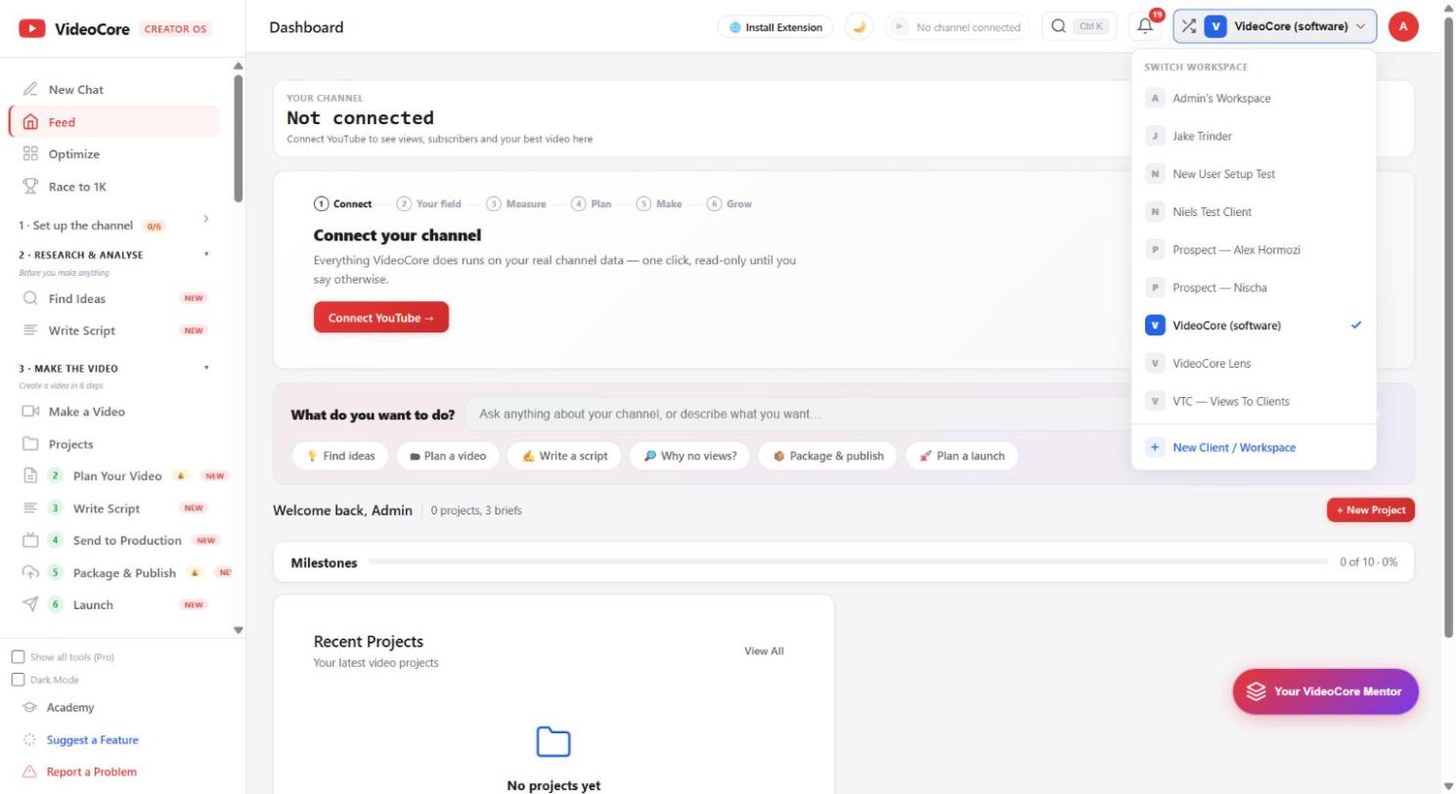
The workspace switcher moves between channels you manage; New Client or Workspace adds one. Your avatar opens Settings, API docs and Logout.
Why it works this way
The menu is kept to nine primary sections on purpose, so the order you learn today stays the order tomorrow.