VideoCore how-to · 10 · Workspace
Settings: profile and experience level, workspace, integrations
Your name and experience level, which sets how much of VideoCore shows by default; the workspace; and the integrations: Slack alerts, Discord, Kit, Buffer and Google Calendar.
1
Profile and experience level
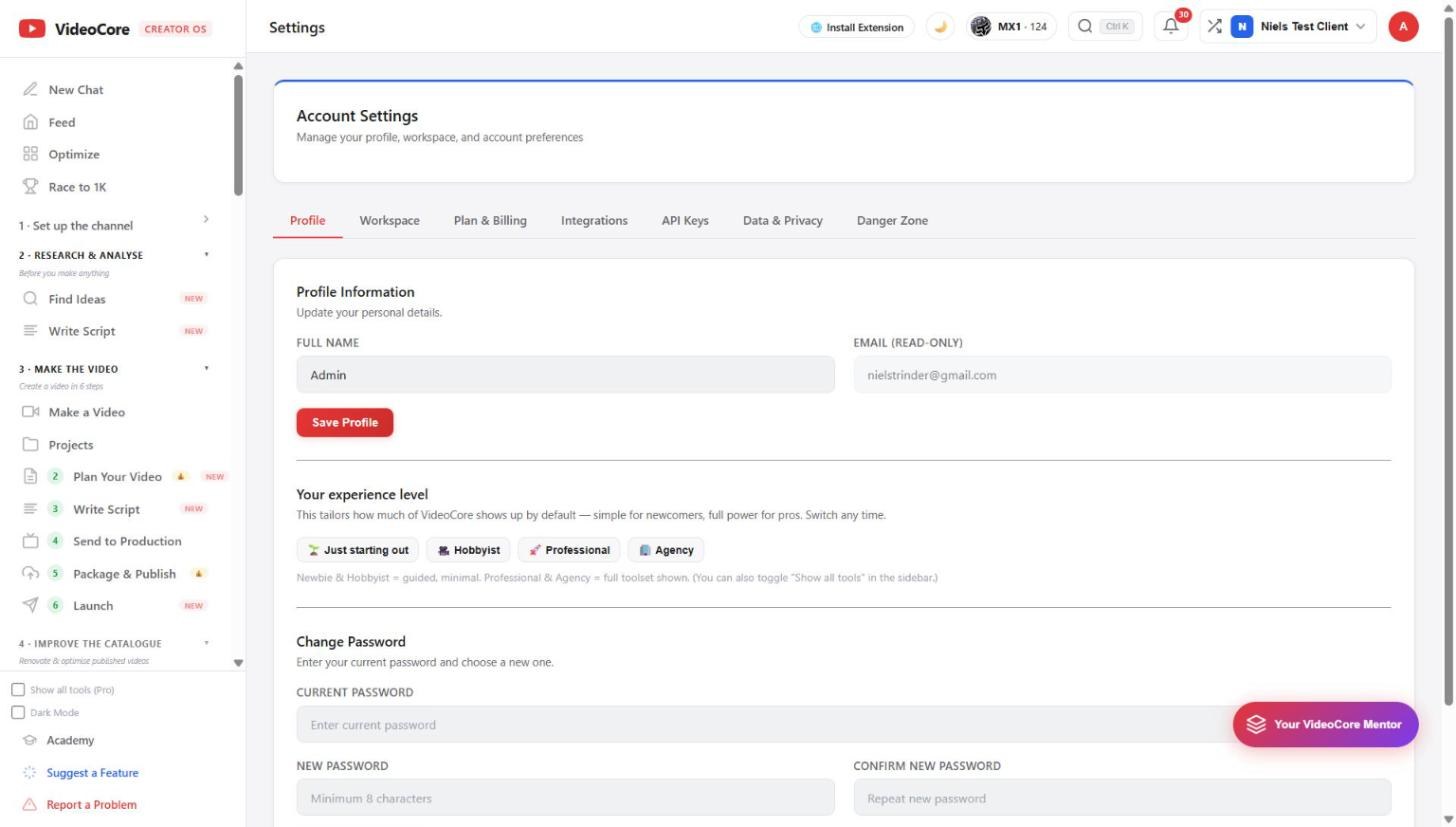
Your name, the email, Save Profile. The experience level, just starting out, hobbyist, professional or agency, decides how much of the toolset shows by default; Show all tools in the sidebar does the same at any time.
2
Integrations
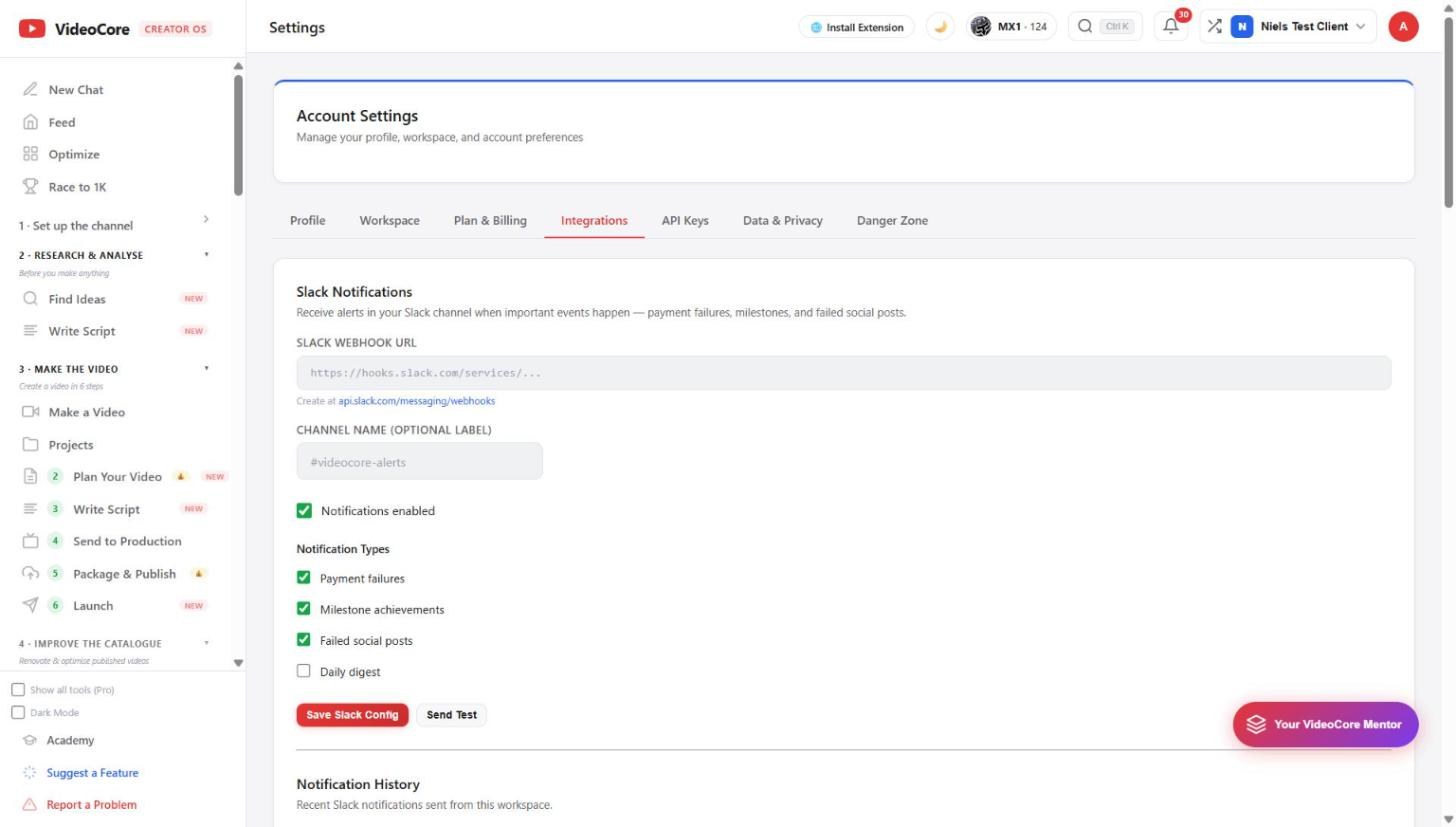
Slack: paste a webhook, name the channel, tick the notification types, payment failures, milestones, failed social posts. Discord, Kit, Buffer and Google Calendar follow below, each with its own connect.
?
Why it works this way
The experience level hides tools rather than features, so a newcomer sees a guided set and a professional the full set, and either can switch at any time.